Download Privatepdf
translator

This is an indie-developed application. Since it does not yet have an expensive enterprise code-signing certificate, Windows SmartScreen and macOS Gatekeeper may display security warnings. The application's interface is fully open source, and you are welcome to audit the source code here.

macOS
Download App for Apple Silicon Download App for Intel

Minimum Requirements

macOS versions with Apple security update support. This is typically the latest and the previous two versions.
Linux
Download AppImage (x64) Download .deb (x64)

Minimum Requirements

glibc >= 2.28, libstdc++ >= 3.4.25 (e.g. Ubuntu 20, Debian 10...)
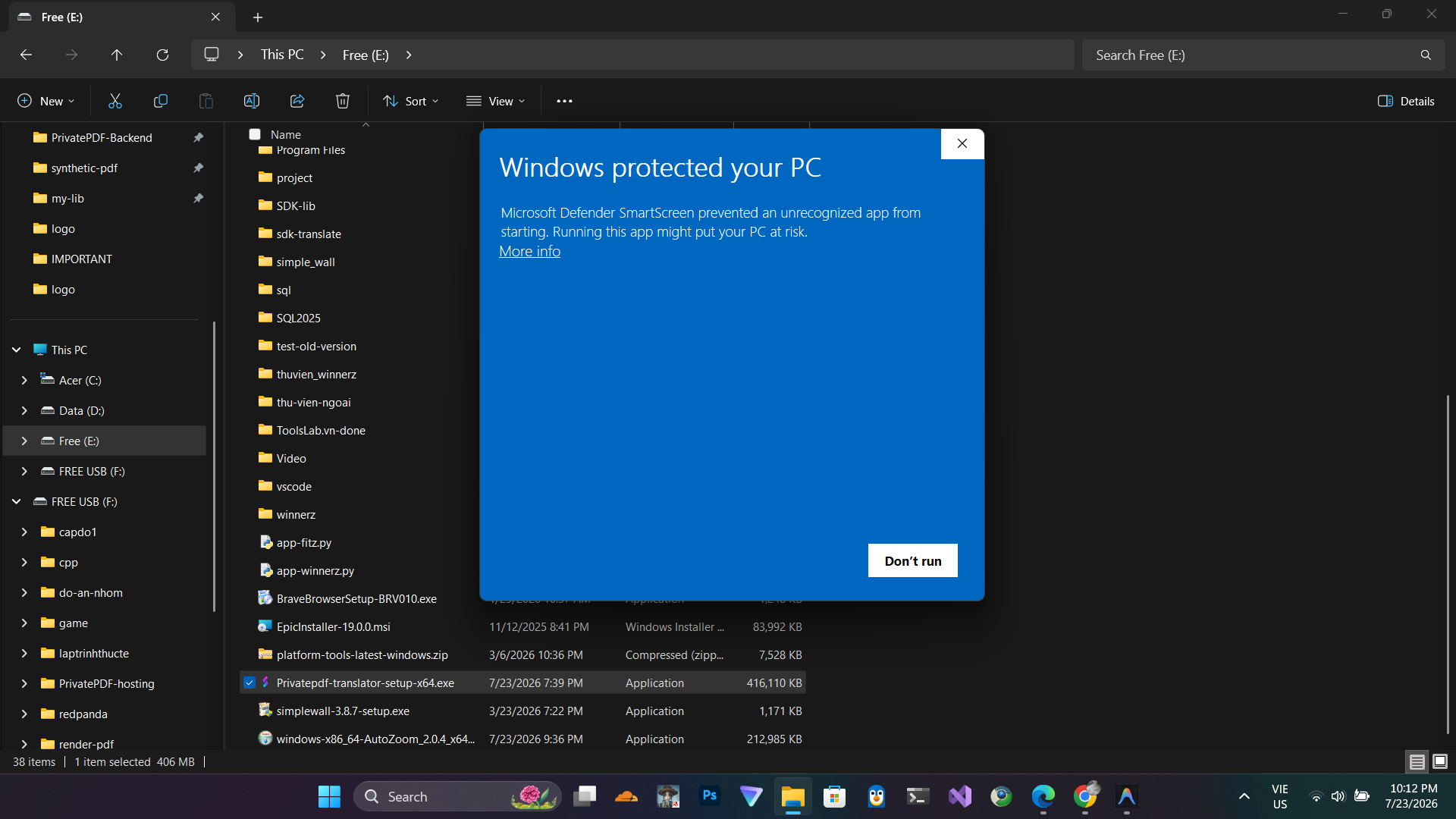
Windows Installation Guide

Because our application is not yet signed with a paid developer certificate, Windows SmartScreen may show a security warning. Follow these steps to install the app safely.

Step 1

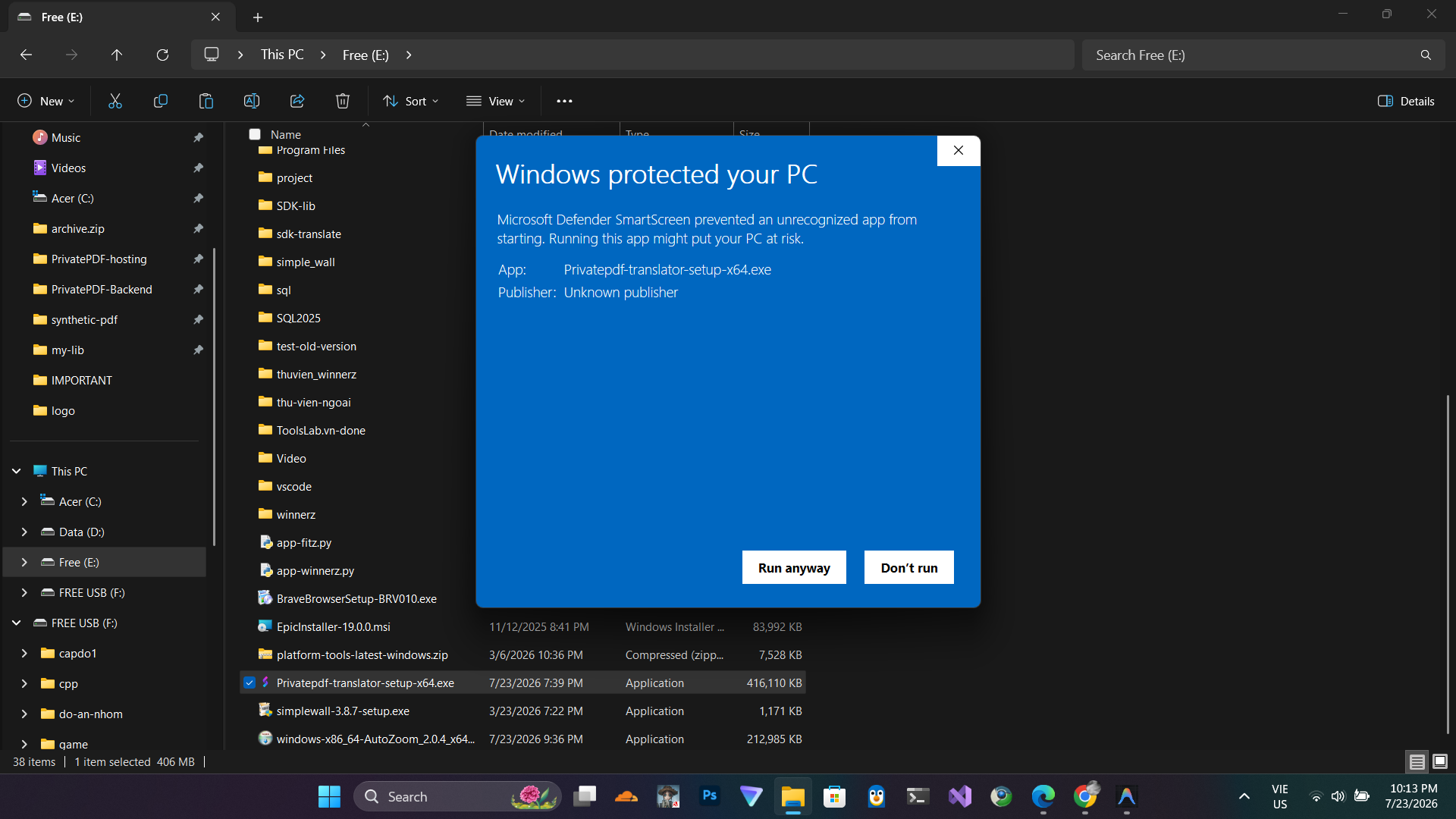
Step 1: Security Warning

When you open the installer, Windows might block it. Look for and click on "More info".

Step 2

Step 2: Run Anyway

Once you reveal the hidden options, click on "Run anyway".

Step 3

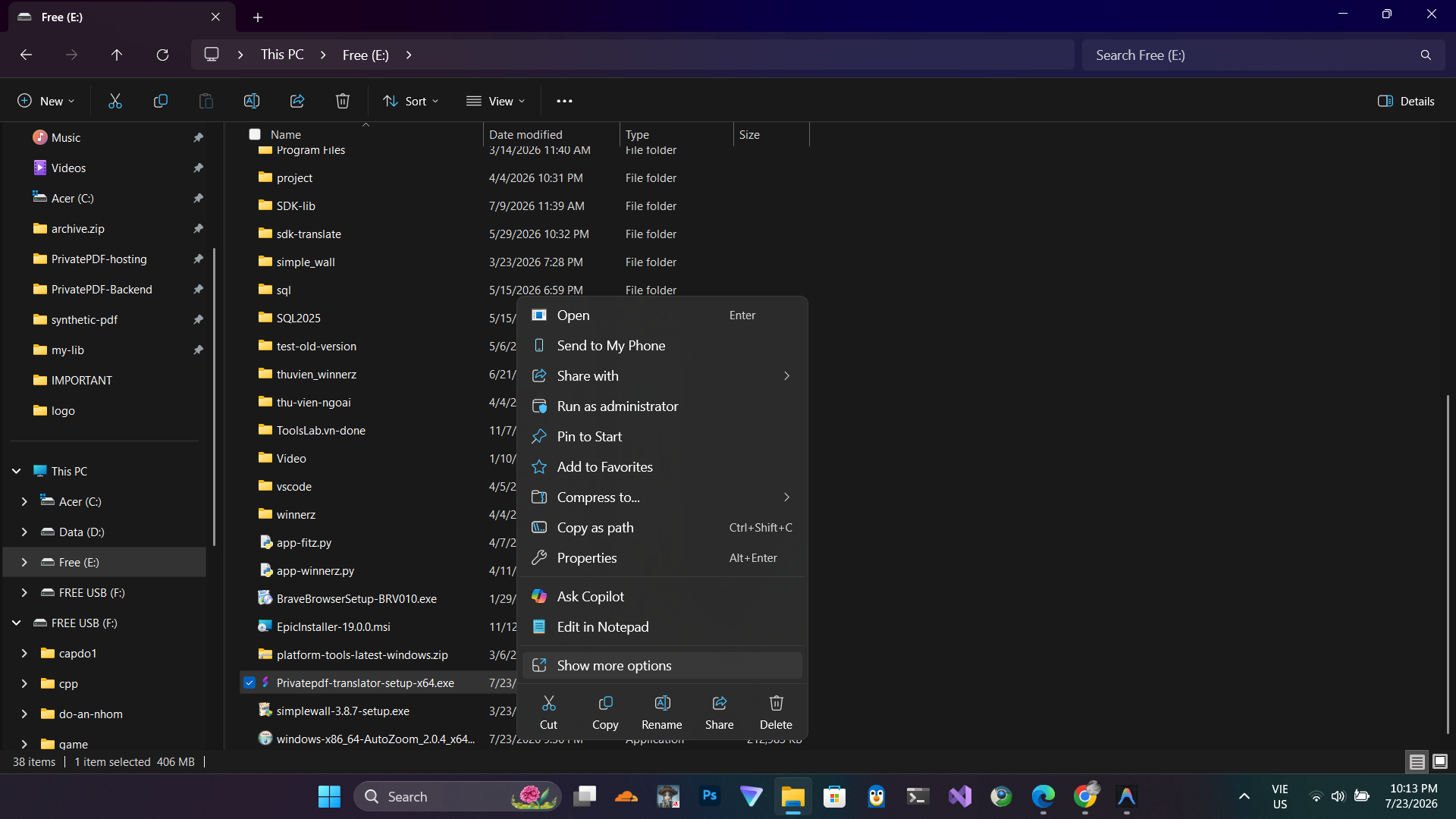
Step 3: And I encourage you to use Windows Defender or other antivirus software to scan the program.

Click on "Show more options".

Step 4

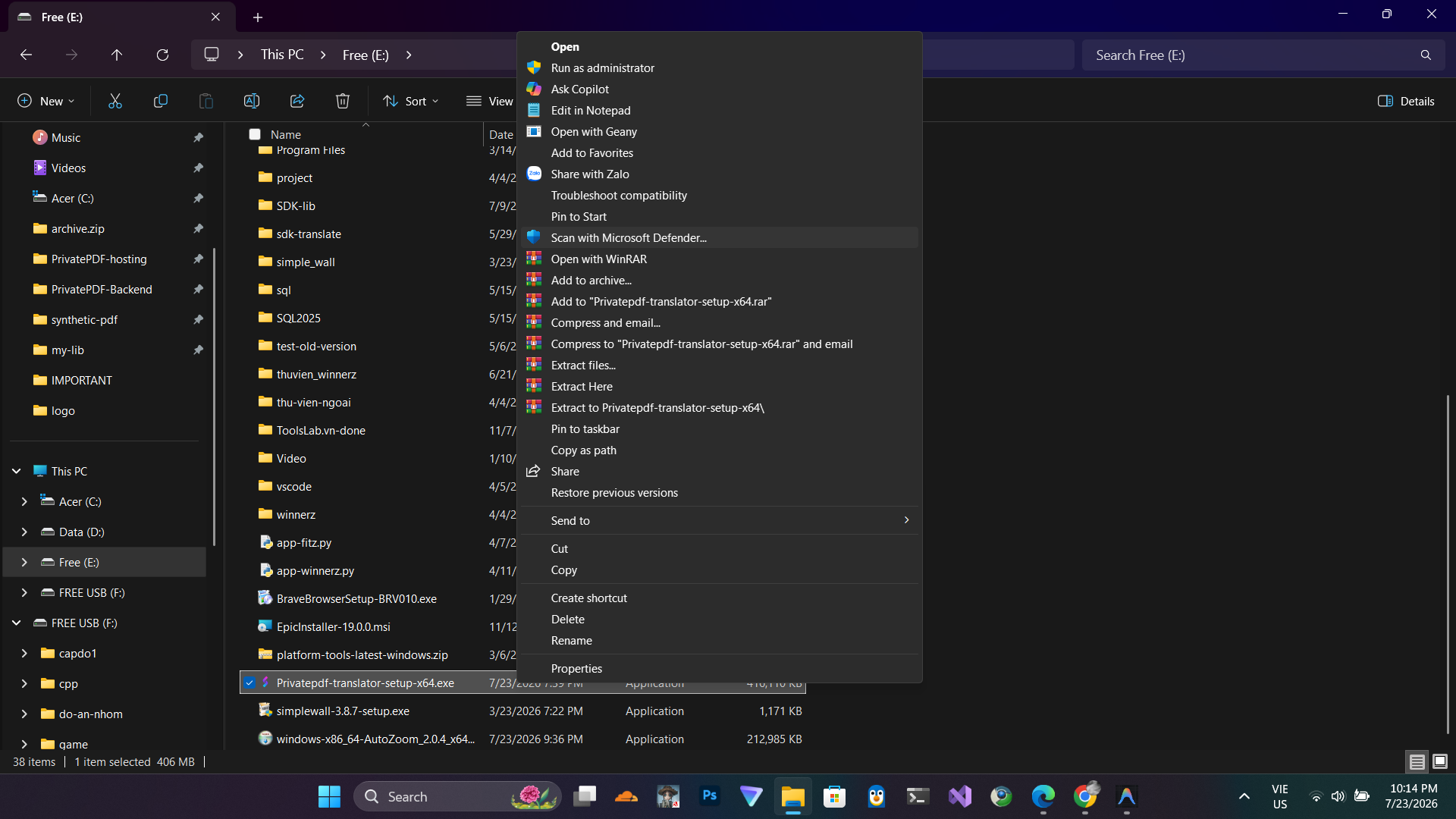
Step 4: Just scan it

Click on Scan with Microsoft Window defenders to scan.

macOS Installation Guide

Since the app is from an unidentified developer on macOS, you need to allow it through System Settings. Watch this quick video guide.